
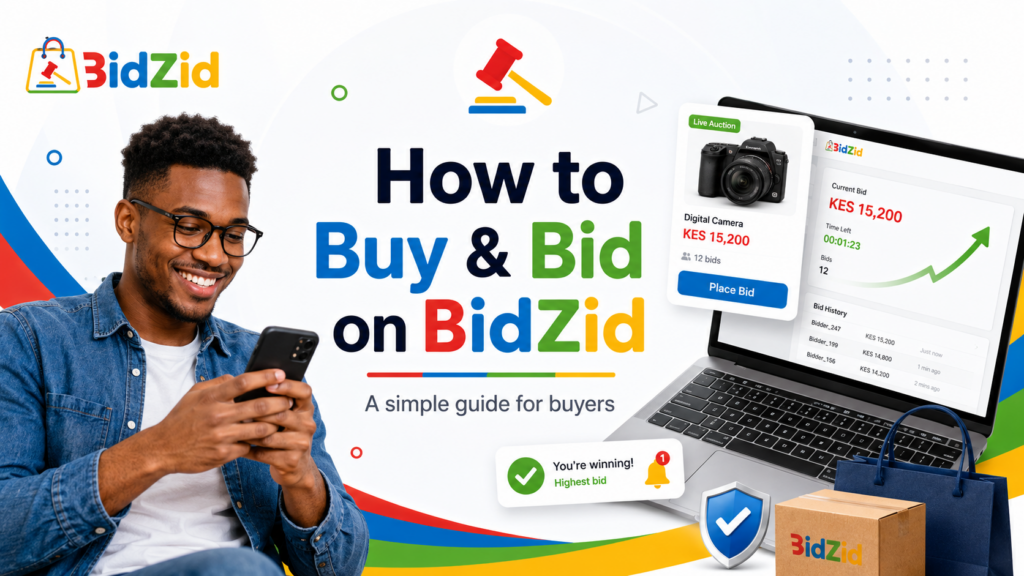
A Buyer’s Guide 🔨
Found something you want?
Buying on BidZid is designed to be simple — whether you want to compete in an auction or purchase an item instantly using Buy It Now.
Here’s how to get started.
1. Create Your Account 👤
Click “Login/Register” in the top menu and select:
“I am a Customer.”
Fill in your details and make sure you use a valid email address.
That matters because BidZid may use your registered contact details to send important updates such as:
- Auction notifications
- Outbid alerts
- Winning-bid notifications
- Order updates
- Payment receipts
- Security or support messages
Once your account is ready, you can start browsing and bidding.
2. Find Something Worth Bidding On 🔎
Browse through the BidZid categories or use the search bar to find what you’re looking for.
You’ll come across two main ways to buy:
Place a Bid 🔨
For auction items, enter your bid according to the minimum amount shown on the listing.
If another bidder beats your bid, you may receive an outbid notification — which means you have a decision to make: leave it there, or come back and bid again. ⚡
Before bidding, always check the item description, photographs, condition, delivery or collection terms and seller information carefully.
Buy It Now 🛍️
Some listings may also offer a fixed Buy It Now price. If you don’t want to wait for the auction to finish, you can purchase the item at the displayed price and proceed directly to checkout.
3. You Won — Now What? 🎉
If the auction closes and you are the winning bidder, congratulations.
You’ll receive a notification and can complete your purchase through:
My Account → Orders
Complete checkout within the payment period shown or communicated for your order.
Winning an auction creates a purchase obligation, so only bid when you genuinely intend to complete the transaction.
4. Pay Securely 💳
Payments are made through BidZid’s integrated payment process using the options available at checkout, such as M-Pesa or card payments where enabled.
Payments are processed through Paystack.
The seller does not receive your payment automatically. Seventy-two (72) hours after your successful payment, the seller’s net proceeds may become available in the Vendor Dashboard for the seller to request withdrawal.
That does not mean the seller has been paid. A withdrawal request still requires BidZid approval.
5. Delivery or Collection 📦
The seller is responsible for arranging delivery or collection according to the terms shown on the listing.
For shipped items, keep any tracking or delivery information you receive. For collections, inspect the item carefully when you receive it wherever reasonably possible.
If the seller creates a shipment through the order system, you may see a Confirm Receipt option once the shipment has been processed. This is BidZid’s preferred normal flow because it gives us direct confirmation that you received the item. The option does not appear for every fulfilment method. For pickup or other transactions, BidZid may verify receipt through tracking, written confirmation, proof of handover, direct contact with you, or other reliable evidence.
When Confirm Receipt is available, only use it after you have actually received and had a reasonable opportunity to inspect your item. Confirming receipt helps BidZid review the seller’s payout request, but it does not automatically cancel an otherwise eligible BidZid Guarantee claim reported within the applicable 48-hour window.
Record Your Unboxing 🎥
Before opening a shipped package, take out your phone and record a continuous, unedited video.
- The sealed package
- The shipping label or identifying information
- The opening of the package
- The item as you first receive it
- Any obvious damage, missing parts or other problem
If something arrives damaged, incomplete, swapped or materially different from the listing, that video can be valuable evidence.
No video does not automatically mean no claim, but where an unboxing video could reasonably have been recorded, not having one may make certain disputes harder to prove.
6. Inspect Your Purchase 🛡️
Once your item arrives, check it properly.
- It is the item you ordered
- Its condition matches the listing
- Important parts or accessories are present
- There is no serious undisclosed damage
- Where appropriate, it works as described
- There are no obvious authenticity concerns
If Confirm Receipt is available on your order and everything is fine, you can use it to confirm that you have received your purchase.
If the option does not appear, don’t worry — its availability depends on whether the seller created a shipment through the Platform and on the fulfilment method used.
7. Something Wrong? Tell Us Quickly
Eligible purchases are covered by the BidZid Guarantee process.
If your item:
- Does not arrive
- Is materially different from its description
- Arrives with serious undisclosed damage
- Is materially non-functional despite being sold as functional
- Is counterfeit or materially misrepresented
- Is the wrong item
- Is materially incomplete
raise the issue with BidZid within 48 hours of actual delivery or collection.
You can contact the seller, but do not allow the 48-hour reporting period to expire while waiting for the seller to respond.
Depending on the issue, BidZid may ask for photographs, your unboxing video, delivery information, messages, serial numbers or other relevant evidence.
8. When Does the Seller Get Paid? ⏳
There are three separate stages.
Stage 1: Withdrawal Eligibility
Seventy-two (72) hours after your successful payment, the seller’s proceeds — after deduction of BidZid’s applicable Service Fee — may become available for the seller to request withdrawal.
Stage 2: BidZid Approval
A withdrawal request is not approved automatically. BidZid ordinarily verifies that delivery or collection actually occurred before approving payout. Where the shipment workflow is used, your Confirm Receipt action is the preferred confirmation. For pickup or other fulfilment, BidZid may rely on tracking, written confirmation, proof of handover, direct verification with you, or other reliable evidence. Once BidZid is reasonably satisfied that you received the item and there is no known issue requiring review, the seller’s withdrawal may be approved. BidZid does not necessarily wait for the full 48-hour BidZid Guarantee period before approving payout.
If you have already reported a problem, or another payment, fraud, verification or compliance issue exists, BidZid may keep a pending seller withdrawal unapproved while the matter is reviewed.
Stage 3: Payout
Once BidZid approves the withdrawal request, the payment is sent to the seller’s registered payout destination. The final arrival time can depend on the bank, mobile-money network or payment provider.
So the important point is:
- 72 hours after payment does not mean the seller has been paid.
- Your 48-hour BidZid Guarantee window runs from actual delivery or collection, not from payment. It is a reporting window for covered problems, not a guaranteed 48-hour freeze on the seller’s payout.
- If a valid issue is raised in time, BidZid can keep a pending seller withdrawal unapproved while the matter is reviewed. If payout has already occurred, an eligible claim can still be reviewed and the seller may remain responsible for the refund or recovery under the marketplace policies.
A Few Smart Bidding Tips ⚡
👀 Read Before You Bid
Don’t bid from the photograph alone. Check the description, condition, seller terms and delivery arrangements first.
💰 Know Your Limit
Auctions are competitive. Decide what the item is worth to you and bid accordingly. Getting outbid can make it tempting to keep going — but a good deal is only a good deal at a price you’re comfortable paying.
⭐ Check the Seller
Where available, look at seller ratings, reviews and transaction history. A strong marketplace reputation is useful information when deciding who to buy from.
📸 Keep Evidence
Save relevant messages, tracking information and order details until the transaction is complete. And for delivered parcels: record the unboxing.
Ready to Start?
Browse. Find something you want. Place your bid. And see where the auction takes you. 🔨
BidZid
Bid. Buy. Sell. Securely.